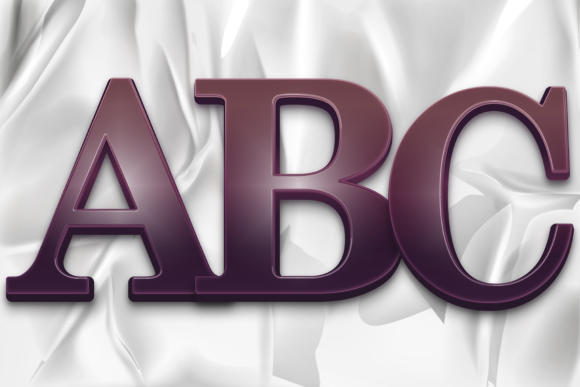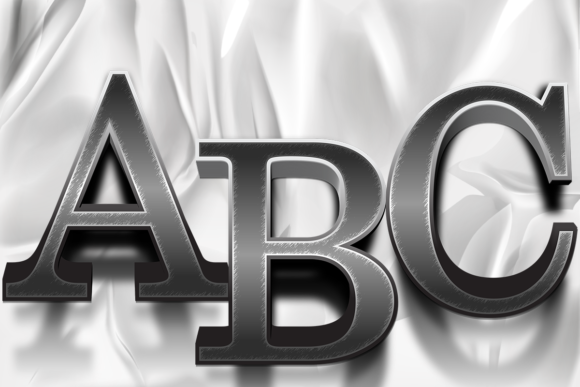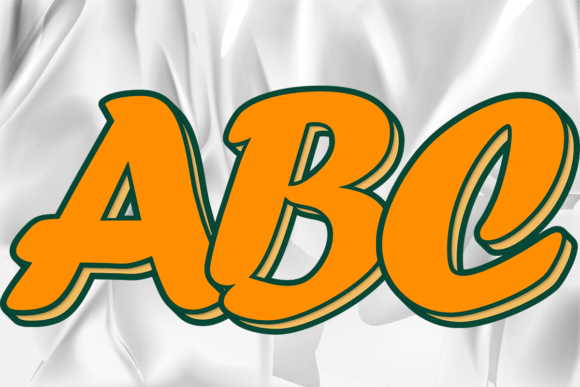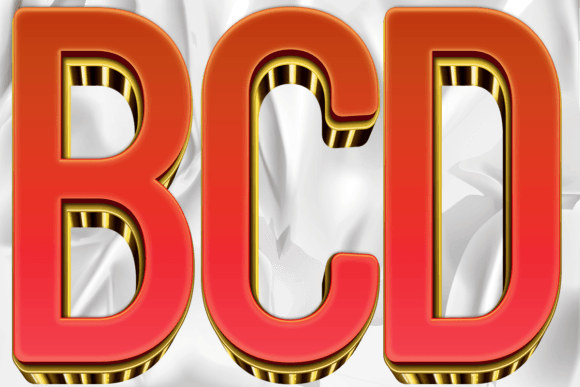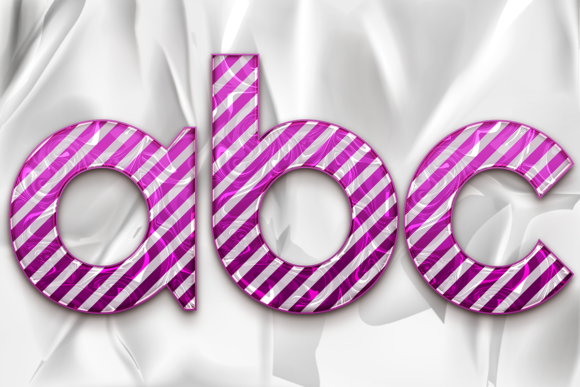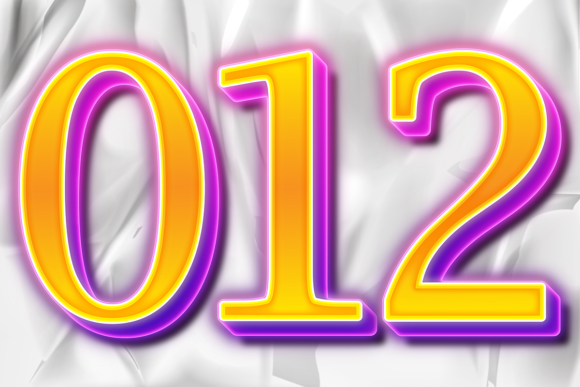
EPS PNG Letter Numbers with Color Style
Graphic design often comes down to the details. You might have a beautiful layout, compelling copy, and high-quality imagery, but if your typography feels flat or generic, the entire project can lose its punch. This is where specialized assets like EPS PNG Letter Numbers with Color Style come into play. These aren't just standard fonts you type out; they are curated graphic elements designed to add immediate visual flair, texture, and personality to your work without requiring you to build them from scratch.
This specific set includes 26 uppercase letters, 26 lowercase letters, and 10 numbers (0–9), all crafted with decorative styles that stand out. What makes this collection particularly useful for designers, marketers, and content creators is the versatility of the file formats provided. By offering EPS, AI, and transparent PNG files, it ensures that whether you are working on a high-resolution print job or a quick social media post, you have the right tool for the job.
Why File Format Matters in Design Workflows
One of the biggest hurdles in creative projects is compatibility. You spend hours designing a logo in Adobe Illustrator, only to realize you need a quick version for Instagram. Or perhaps you are using Canva for a blog header and need an element that doesn’t have a white background blocking your nice gradient. The inclusion of multiple file extensions in this set solves these friction points directly.
- PNG Files: The transparent PNG is your best friend for digital design. Because the background is removed, you can drop these colorful letters onto any image, pattern, or color block without worrying about ugly white boxes. They are perfect for web banners, email newsletters, YouTube thumbnails, and social media graphics where every pixel counts.
- EPS and AI Files: For professional printing and scalable vector graphics, the EPS (Encapsulated PostScript) and AI (Adobe Illustrator) files are essential. Vectors allow you to scale these letters up to the size of a billboard or down to a business card without losing any quality. If you are designing packaging, merchandise, or large-format signage, this scalability is non-negotiable.
The fact that this set was created using Adobe Illustrator CC 2017 is a helpful detail. It means the structure of the vectors is clean and compatible with modern versions of the software. While the creator recommends CC 2017, users running CC 2018, 2020, or even the latest Creative Cloud versions will find no issues opening or editing these files. In fact, newer versions often provide better tools for tweaking colors and shapes once you open the file.
Real-World Applications for Entrepreneurs and Creators
Let’s look at how different professionals actually use these assets in their daily workflows. Understanding the context helps you see the value beyond just "pretty letters."
Small Business Owners and Branding
If you are launching a new brand, consistency is key. A bakery owner might use the number "5" in a vibrant, textured style for a "Buy 5 Get 1 Free" promotion flyer. A boutique clothing store could use the letter "B" as a watermark on product photos. Because these are individual characters rather than a locked font family, you can mix and match them creatively. You might pair a bold uppercase "S" with a delicate lowercase "tyle" to create a unique logotype that looks custom-made, saving you thousands in custom logo design fees during the startup phase.
Content Creators and Bloggers
In the world of blogging and vlogging, click-through rates depend heavily on visual appeal. A blogger writing about "Top 10 Productivity Tips" needs the number "10" to pop. Using a standard Times New Roman numeral won’t grab attention. However, inserting a stylized, colorful number from this EPS PNG set into the featured image immediately draws the eye. Similarly, podcasters can use these letters to create custom episode titles or quote cards for Instagram Stories, maintaining a cohesive aesthetic across their platform.
Educators and Presenters
Teachers and corporate trainers often struggle with making slides engaging. Plain text lists can be boring. Imagine creating a slide deck where each key concept is introduced by a large, colorful letter from this set. Instead of bullet points, you have a giant, stylish "I" for Innovation, a vibrant "C" for Creativity, and a bold "T" for Teamwork. These visual anchors help learners retain information better because the brain processes images faster than text. The transparent PNGs make it easy to layer these letters behind or beside your text boxes without clashing with the slide background.
Event Planners and Print Design
For weddings, birthdays, or corporate events, personalized decor is huge. An event planner might order custom banners or table numbers. With the EPS and AI files, they can easily change the colors to match the event theme—gold for a wedding, neon for a birthday, or navy blue for a corporate gala. Since the files are vector-based, they can be sent to a professional printer who will produce crisp, high-quality results regardless of the size of the banner.
What to Consider Before You Download
While these assets are incredibly versatile, there are a few practical considerations to keep in mind to ensure you get the most out of them.
Customization Needs: Remember that these are graphic objects, not editable text layers in the traditional sense (though AI/EPS files allow editing). If you need to quickly swap out a word in a final PDF proof, you might need to convert the vector paths back to text or edit the shapes manually in Illustrator. It requires a bit more hands-on work than typing in a Word document, but the trade-off is the unique visual style.
Color Consistency: The "Color Style" aspect implies that the letters come with specific fills and effects. When you open the AI or EPS file, check the color modes. If you are printing, ensure your colors are in CMYK mode to avoid unexpected shifts in hue. If you are designing for screens, RGB is the way to go. Most modern Illustrator versions handle this conversion smoothly, but it’s a good habit to check before exporting.
Licensing and Usage Rights: Always review the license agreement that comes with your download. Are you allowed to use these for commercial projects? Can you resell designs that incorporate these letters? As a creator, protecting your intellectual property is just as important as finding great assets. Ensure that your intended use—whether it’s a personal hobby project or a client’s commercial campaign—is covered by the license.
Maximizing Value Through Versatility
The true power of the EPS PNG Letter Numbers with Color Style set lies in its adaptability. You aren’t just buying a font; you are buying a toolkit for visual communication. A freelancer might use the PNGs for quick client mockups to show concepts rapidly, then switch to the AI files for the final production-ready artwork. An educator might use the same set for both classroom posters and digital presentations.
By having access to both raster (PNG) and vector (EPS/AI) formats, you eliminate the need to hunt for different resources for different mediums. This streamlines your workflow, allowing you to focus on the creative message rather than the technical limitations of your tools. Whether you are designing a logo, a social media post, a printed brochure, or a classroom display, these decorative letters and numbers provide a reliable, high-quality foundation for your design work.
In a digital landscape saturated with generic templates, adding a touch of custom-style typography can be the difference between a forgettable design and one that resonates with your audience. Taking advantage of well-crafted assets like this set allows you to elevate your projects with minimal effort, ensuring that your letters and numbers don’t just convey information—they command attention.