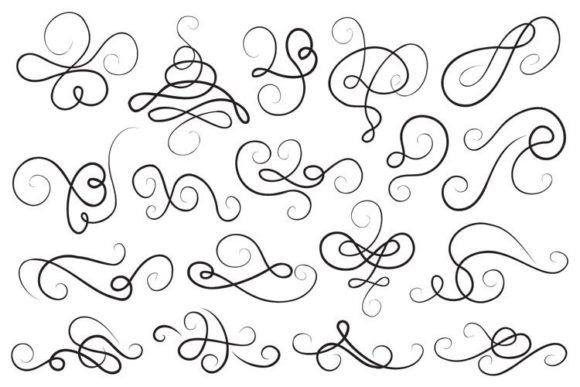
Calligraphy Design Elements: Elevating Your Projects with Elegant Linear Curves
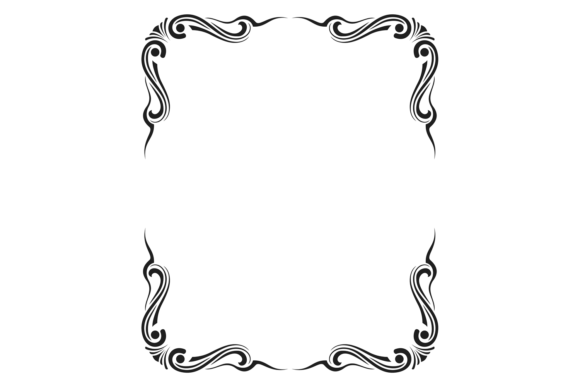
When you are staring at a blank canvas, whether it is a digital screen or a physical sheet of paper, the difference between a good design and a great one often comes down to the details. This is where Calligraphy Design Elements step in to transform a standard layout into something that feels handcrafted and sophisticated. These assets are not just random doodles; they are carefully crafted linear curves and curls that add a sense of movement and grace to your work. Imagine adding a delicate black thin line swirl or a dynamic twirl to frame a wedding invitation, highlight a key quote in a blog post, or accentuate a brand logo. That subtle touch can change the entire mood of the piece, making it feel more personal and professional.
The beauty of this collection lies in its versatility. It isn't limited to just traditional lettering projects. In fact, these vector decorative design elements are designed to integrate seamlessly into modern workflows. Whether you are a freelancer trying to impress a client with a unique portfolio, a small business owner creating social media graphics for a boutique brand, or an educator designing engaging worksheets for students, having access to high-quality linear curves saves hours of drawing time while ensuring a polished look.
Why Choose Vector-Based Decorative Elements?
Before diving into specific use cases, it is crucial to understand why the format matters. Many users struggle with pixelated images when they try to scale them up for large prints or high-resolution screens. The inclusion of SVG, AI, and EPS files in this set solves that problem immediately. Because these are vector graphics, you can stretch, shrink, rotate, and recolor the black thin line swirls without losing any sharpness or clarity.
This flexibility is a game-changer for anyone working across multiple mediums. You might create a design on your laptop for Instagram, but later need to print a banner for a local event. With a 300 ppi density in both JPG and PNG formats, plus the editable vector files, you have everything you need to ensure your project looks crisp from a smartphone screen to a billboard. The ability to edit the strokes in Adobe Illustrator means you can adjust the thickness of the lines or combine different curls to create entirely new patterns that match your specific vision.
Real-World Applications for Creators and Entrepreneurs
Let's look at how these elements fit into actual daily scenarios. For entrepreneurs and marketers, visual consistency is key to building a recognizable brand. A coffee shop owner might use a specific linear curve to frame their daily specials menu, giving it an artisanal feel that suggests quality ingredients. Instead of hiring a designer for every single update, they can download the Calligraphy Design Elements, customize the color to match their brand palette, and apply it instantly to flyers, receipts, and packaging.
Blogger and content creators face a similar challenge: standing out in a crowded feed. Standard text blocks can be boring. By incorporating a subtle twirl around a pull quote or using a curl to separate sections of an article, you guide the reader's eye and break up the monotony of the text. This is particularly effective for lifestyle blogs, food reviews, or travel journals where the aesthetic needs to evoke a specific feeling of warmth and exploration.
For educators and hobbyists, the utility extends to creating materials that are visually stimulating. Think about designing a certificate of achievement for a student, a worksheet for a creative writing class, or a label for a home organization system. The linear curves add a touch of formality or playfulness depending on how they are applied. A teacher can easily take a plain "Certificate of Completion" and turn it into a keepsake by adding elegant borders made from these included JPG or PNG files.
Digital and Commercial Use Cases
In the commercial sector, attention to detail often dictates perceived value. Wedding planners and stationery designers rely heavily on these assets. A set of eighteen distinct designs offers enough variety to prevent repetition while maintaining a cohesive theme. You can mix and match the black thin line swirls to create custom monograms or frame photos in a digital photo album. Since the PNG files come with transparent backgrounds, layering these elements over textured papers, watercolor washes, or photographs is effortless. There is no need to painstakingly cut out white boxes around the edges; the transparency ensures a clean integration.
Publishers and book cover designers also benefit significantly. A thriller novel might use sharp, aggressive twirls, while a romance novel could utilize softer, flowing curves. Having the source AI file allows designers to manipulate the geometry of the element to fit the exact dimensions of the book cover, ensuring that the spine and front cover align perfectly. This level of control is impossible with raster-only images.
What to Consider Before You Apply
While these resources are incredibly powerful, successful application requires a bit of strategy. First, consider the weight of the lines. Black thin line swirls are delicate; if placed over a busy background or paired with heavy, bold typography, they might get lost. Conversely, if used on a minimalist design, they provide the necessary focal point. Always test your design at full size before finalizing it.
Second, think about color theory. While the default is often black, the vector nature of the SVG and AI files means you can experiment freely. Try using gold, deep navy, or even pastel hues to alter the emotional impact of the design. A red curl might signal passion or urgency, while a soft teal could suggest calmness and elegance.
Finally, respect the resolution limits when working with the raster versions. Although the JPG and PNG files are high resolution at 300 ppi, they are still pixels. If you plan to print something larger than a standard poster, always reach for the vector versions (SVG, AI, EPS) to guarantee the sharpest possible output. Understanding which file type to use for which medium is the hallmark of a professional workflow.
Maximizing Your Creative Potential
The true value of this collection lies in the freedom it gives you to experiment. You are not locked into a static image; you have the tools to build a library of custom assets. Combine two different curls to make a corner flourish, or arrange several twirls to create a border that wraps around a photograph. The eighteen included designs serve as a foundation, but your imagination determines the ceiling.
Whether you are crafting a personal gift, launching a new product line, or simply trying to make your digital life look a little better, Calligraphy Design Elements offer a practical solution. They bridge the gap between amateur effort and professional polish. By integrating these linear curves and curls into your projects, you communicate care, attention to detail, and a refined taste. In a world filled with generic templates, taking the time to incorporate these unique decorative touches sets your work apart, proving that sometimes the smallest details make the biggest difference.
So, the next time you start a new project, pause and ask yourself: does this design have room for a little elegance? Adding a well-placed swirl or a graceful curl can be the missing piece that turns a simple idea into a memorable creation. With the right tools in your arsenal, there is no limit to what you can achieve.